TL;DR
Solar-powered emergency radios receive broadcasts and can draw power from a built-in battery, sunlight, a hand crank, or USB, depending on the model. Solar panels and cranks usually provide gradual or limited power, so test local reception, learn the controls, and keep the radio charged as part of a broader emergency kit.
When a storm knocks out the lights, your phone can lose signal or run out of battery just when you need local updates. A small radio on the kitchen counter may still pick up a weather report or evacuation notice, as long as it has power and a broadcaster is within reach.

Get emergency and outdoor gear delivered free with Prime
- Fast, free delivery on millions of items
- Prime Video, Amazon Music and more included
- Member-only deals all year
Solar-powered emergency radios combine a radio receiver with one or more backup power sources. Many models also offer a hand crank, USB charging, a rechargeable battery, and an LED flashlight. Those extras can help, but they do not make the radio a complete emergency kit or guarantee that you’ll receive a signal.
This guide explains how the charging options work, what affects reception, and what to check before you depend on a radio. You’ll also get a simple way to test yours at home, so you’re not learning its tiny buttons in the dark.
Check which alert bands and broadcast services apply where you live; NOAA Weather Radio serves the United States, while other places use different systems.
Use USB charging when power is available, treat a small solar panel as a gradual charging aid, and keep the crank for limited backup power.
Test reception in the actual room or location where you expect to use the radio, since walls, terrain, and distance can change signal strength.
Treat phone charging as a possible limited boost that can drain the radio’s battery; save power for alerts if that is your priority.
Charge, test, and inspect the radio periodically, and follow the model’s manual for battery care and operating estimates.
How a solar emergency radio keeps information within reach
A solar emergency radio is a portable receiver that can use stored or externally supplied power to play broadcasts. Depending on the model, that power may come from sunlight, a hand crank, USB charging, or another battery source. In the United States, some radios receive NOAA Weather Radio broadcasts; elsewhere, you’ll need to check the local alert system and supported frequencies.
Think of the radio as a small lantern for information: it can help you hear what’s happening, but only if its battery has power and a station’s signal reaches you. During a neighborhood outage, for example, a local weather broadcast might provide storm updates even if your home internet is down. The device cannot create a signal or guarantee that a transmitter is operating.
Many radios add a flashlight, SOS alarm, or USB output. These can be handy when you need to find supplies in a dark cupboard, but every feature draws from the device’s available energy. If you spend a long time using the light or trying to charge a phone, you may have less power left for listening.
A radio provides access to information, not a promise of reception. Local coverage, your location, and the radio’s remaining power all matter.
Before buying, check which bands the radio receives and whether local emergency services use them. Then try it from the rooms where you’re most likely to shelter. A device that works well beside a window may struggle in a basement or behind thick walls.
Popular right now

VIZIO 65-Inch V-Series 4K HDR Smart TV

Bose QuietComfort Wireless Noise-Cancelling Headphones, Petal Pink

KitchenAid Classic Series 4.5-Quart Tilt-Head Stand Mixer, Onyx Black
As an affiliate, we earn on qualifying purchases.
Choose the power options that match your routine
Solar emergency radios work best when you treat each charging method as a different tool: USB for convenient charging when electricity is available, sunlight for gradual replenishment, and a hand crank for limited power when other options aren’t handy. The mix varies by model, so read the manual instead of assuming every radio includes the same features. The practical question is not just which methods are listed, but which ones you can realistically use before and during an outage. A fully charged battery gives you the easiest start; the backup options help manage what happens after that stored energy runs down.
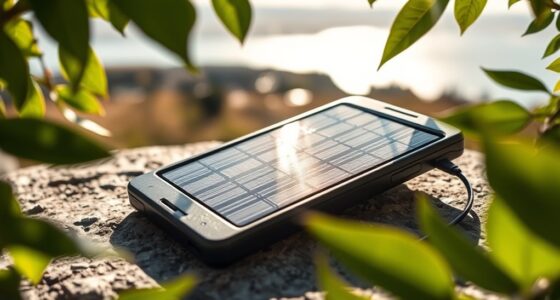
Imagine that you’re checking your emergency supplies on a sunny Saturday. A few hours on a bright windowsill may help maintain the radio’s charge, but a compact built-in panel may not refill a depleted battery quickly. Shade, clouds, panel angle, and charging circuitry all affect the result. In this case, solar is more like a slow drip into a reservoir than a fast fill from a tap. That means sunlight is useful when you can plan ahead and leave the radio exposed safely, but it is a poor substitute for charging it before a forecast storm or expecting it to power hours of listening after a short exposure.
Cranking gives you a manual backup, but generating useful power takes effort. Manufacturer estimates for crank time and listening or light runtime vary by model and often assume steady cranking. If you’re tired, cold, or helping someone else, the crank may be less convenient than it seemed in the store. It also turns your effort into a limited amount of listening, so reserve it for the information you need rather than running the radio continuously. A crank can still be valuable if you have no other power, but its usefulness depends on whether someone can operate it and whether the model produces enough power for your needs.
Use this quick sequence to make the options practical:
- Charge by USB when power is available, following the manufacturer’s instructions.
- Use sunlight to gradually replenish or maintain the battery, and check any charging indicator.
- Try the crank for a short listening session or light when needed; follow the manual’s timing guidance.
- Save energy by turning off the flashlight and limiting phone charging if alerts are your priority.
For instance, you might listen for a brief update, turn the radio off, and check again later rather than leaving it running all afternoon. That simple habit helps you stretch a limited charge. It also makes your backup power go farther when broadcasts are intermittent or you only need periodic updates.
Compare charging options before you depend on them
USB charging, solar charging, and hand cranking solve different power problems, and none guarantees unlimited runtime. USB is usually the convenient choice when you have access to power; solar depends on conditions and time; cranking gives you a manual fallback that demands effort. Your best choice depends on where you’ll store and use the radio. Thinking about the options as layers helps set expectations: USB can prepare the battery, while sun and cranking may help extend its usefulness when regular power is unavailable.
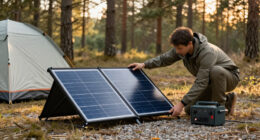
Picture a weekend camper packing before a forecast of rain. USB charging at home can bring the radio to a full charge before departure, while cloudy weather may make the small panel a poor way to replenish it at camp. The crank offers another option, but the camper should check the manual to learn how much cranking produces a useful listening period. The tradeoff is convenience versus dependence on conditions or effort: charging before departure costs little effort, while relying on sun or a crank asks you to respond to the weather or spend time generating power.
| Power option | Useful for | What can limit it |
|---|---|---|
| USB | Charging ahead of time when a power source is available | No help if you have no charged source or working outlet |
| Solar panel | Gradual replenishment in suitable daylight | Clouds, shade, panel size, angle, and charging design |
| Hand crank | A manual backup for limited listening or light | Effort, crank duration, and model-specific power output |
A radio with several charging methods gives you choices, not a guarantee that one method will keep every feature running. Before storing it, fully charge the battery through USB if the manual permits, then confirm that the indicator shows charge. Keep a note of the crank instructions nearby so you don’t have to search for them during an outage. That preparation makes the alternatives useful as backups while reducing the chance you’ll discover their limits when you need information most.
Check reception where you’ll actually use the radio
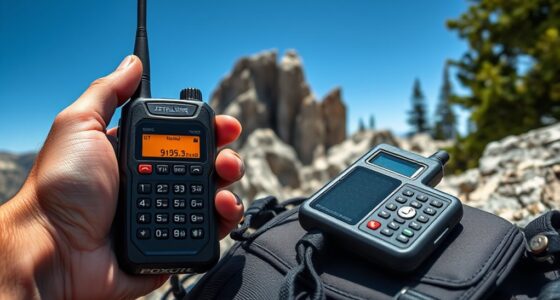
Solar-powered emergency radios only deliver useful alerts when they can receive a broadcast from your location. Terrain, distance from transmitters, buildings, antenna design, and local coverage can all affect reception. Buying a radio that lists a particular band is only the first step; you also need to test whether a station comes through clearly at home or on your trip.
For example, a family might hear a weather station clearly beside an upstairs window but get mostly static in a basement. Extending and adjusting the antenna, moving near a window, or changing the radio’s position may improve reception. During an emergency, those small adjustments can save time, so try them before you need the update.
Check local official guidance to learn which broadcast services and frequencies apply to your area. NOAA Weather Radio is a U.S. service, and radio features vary by country and model. Some devices have an alert setting that can sound when a supported broadcast carries an alert; confirm the radio’s instructions and local coverage before relying on it.
Test reception in the place you expect to use the radio, not just at the shop or in an open field. If you travel, test again at your destination. A valley campsite, a dense urban block, and a house behind thick masonry can produce very different results even with the same radio.
Keep another way to receive official emergency instructions in your household plan when practical, such as alerts from a charged phone or information from local authorities. The radio can add a useful channel, but its value depends on a working receiver, a reachable broadcaster, and enough power to listen.
Protect radio time by checking battery and phone claims
A built-in battery may keep a radio running, but a USB output marketed for phone charging does not mean the radio can fully recharge your phone. The radio’s battery may hold far less energy than the phone’s, and using the USB output can drain power you need for alerts. Compare the battery capacity and output specifications, then treat phone charging as a limited boost.
Suppose your phone is nearly empty during a power outage and you need to send one short message. A small amount of power from the radio might help, depending on the model, but a long charging session could leave you with less radio runtime. If alerts matter most, save the radio’s charge for listening and use phone charging sparingly.
Features such as USB-C charging, bright LEDs, Bluetooth, digital tuning, and SOS alarms may add convenience. They don’t automatically make a radio more reliable when the power is out. Product labels and specifications vary, and there is no single feature set shared by everything sold as an emergency radio.
- Look for clear battery details: Check the capacity and the manufacturer’s stated operating time.
- Check output information: Find out what the USB port can supply and what the manual says about phone charging.
- Inspect durability claims: Confirm any stated water-resistance or drop-resistance rating rather than assuming the radio is waterproof or rugged.
- Prioritize essential features: Choose reception bands, simple controls, and a usable antenna before extras you may rarely use.
Picture reading the label at home before buying: a clear description of charging, runtime, and protection gives you something concrete to compare. If a product makes broad promises but doesn’t explain how it performs, don’t treat the promise as a reliable operating estimate.
Test and maintain your radio before an outage
A short check every so often can catch a flat battery, confusing controls, or poor reception before you need emergency information. Charge the radio as its manual directs, tune it to a local station, test the flashlight and crank if included, and confirm that any alert feature is set up correctly. Your own test reveals more than a feature list alone.
For example, you might discover during a routine supply check that the radio picks up a local station in the kitchen but not the room where your family plans to shelter. You can then try the antenna, select a better storage spot, or learn where reception improves. That’s easier on an ordinary afternoon than during a storm.
Follow the manufacturer’s storage instructions, especially for battery care. Inspect the hand crank, charging ports, and antenna for damage, and recharge or replace batteries as recommended. Keep the manual or a quick reference with the radio so someone else in your household can operate it.
Use this simple check when you review your emergency supplies:
- Charge it and check the battery indicator.
- Listen locally in the room or location where you plan to use it.
- Practice the controls, alert settings, flashlight, and crank.
- Review the manual for storage, battery, and charging instructions.
A radio is one part of a broader emergency kit, alongside supplies suited to your household and official local guidance. Keep expectations grounded: the radio can provide useful updates, but it does not guarantee service, replace other preparations, or promise enough energy to run every extra feature for long.
Frequently Asked Questions
Will a solar emergency radio work without sunlight?
Usually, yes, if it has stored battery power or a hand crank. Some models also accept USB charging or other batteries, but features differ. Check the manual and charge or test the radio before you need it.
How long does solar charging take?
There is no universal charging time. It depends on the panel size, sunlight, angle, battery, and charging circuitry, and a small built-in panel may take many hours or longer to recharge a depleted battery.
Can a solar emergency radio charge my phone?
Some models have a USB output, but a small radio battery may provide only a limited boost and might not fully charge a phone. Using that port can also drain power needed for listening, so check the capacity and specifications first.
Does every emergency radio receive NOAA Weather Radio?
No. Some radios receive NOAA Weather Radio, a U.S. service, while other models may support different bands. Check the frequencies and alert system used in your area and confirm that the radio receives a local signal.
How do I know whether my radio will receive a signal at home?
Test it in the rooms where you might use it, then adjust the antenna and radio position if reception is weak. Buildings, terrain, distance from transmitters, and local coverage all affect the signal, so a test in one spot may not predict reception everywhere.
How should I maintain a solar emergency radio?
Charge and test it periodically, inspect the antenna, crank, and charging ports, and follow the manual’s storage and battery instructions. Confirm local reception and practice the controls while you have time to sort out any problems.
Conclusion
Choose a radio that receives the broadcasts used in your area, then test it where you plan to keep it. Charge it before storing, learn the crank and alert controls, and count solar and phone charging as limited support rather than guaranteed power.
When the lights go out, a tested radio by the window can turn a quiet room into a source of clear local updates.