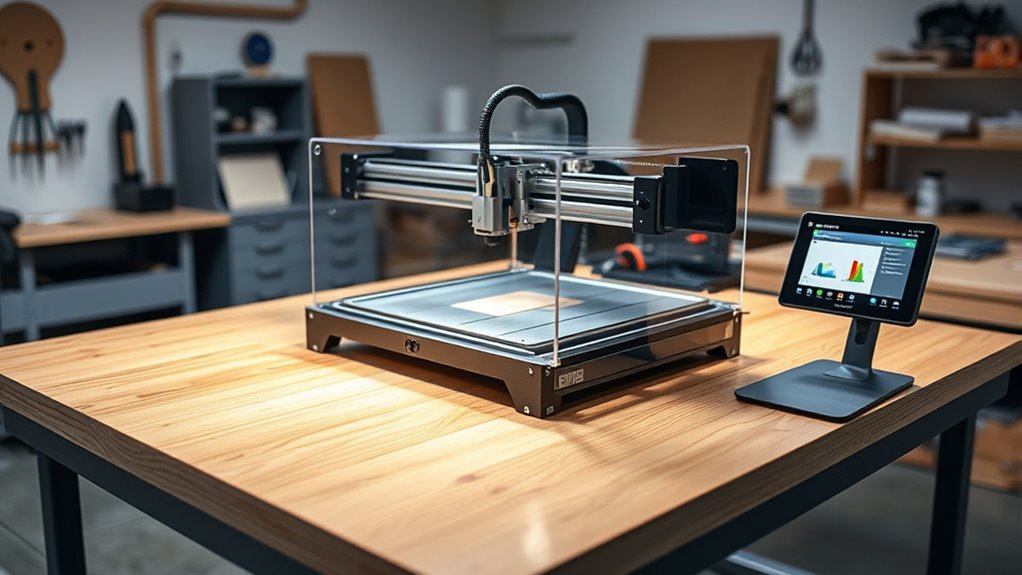

Choosing the right deskcnc router in 2026 depends on your experience level, project scope, and budget. For beginners, the LUNYEE 3020 Nova offers high precision and ready-to-use convenience. Hobbyists and small workshop owners may prefer the 3060-Evo Max for its larger workspace and software flexibility. Meanwhile, those seeking comprehensive learning resources should consider the Desktop CNC Routing for Makers and Beginners or the The Newbie’s Guide to CNC Routing. Each option balances features and complexity differently, making it essential to identify what aligns with your goals and skillset.

Get emergency and outdoor gear delivered free with Prime
- Fast, free delivery on millions of items
- Prime Video, Amazon Music and more included
- Member-only deals all year
Key Takeaways
- Beginners should prioritize accessible, comprehensive guides and ready-to-use machines.
- For larger projects, models like the 3060-Evo Max provide bigger work areas and upgrade options.
- High-precision, industrial-grade machines like the LUNYEE 3020 Nova suit detailed engraving and multi-material use.
- Resource books and guides are ideal for those wanting to learn CNC basics without immediate hardware investment.
- Tradeoffs often involve balancing ease of use, project size, and technical complexity.


More Details on Our Top Picks
Desktop CNC Routing for Makers and Beginners: A Beginner’s Guide to Shapeoko, X-Carve & Home Shop Machines
This guide is ideal for absolute beginners interested in learning CNC routing without prior experience. It covers setup, basic projects, and feeds & speeds for popular machines like Shapeoko and X-Carve. Compared with hardware options, this book is less about technical specifications and more about building foundational skills. It’s perfect for those wanting to dip their toes into CNC but not ready for a full machine purchase. The content is straightforward, though it may feel too basic for users seeking advanced techniques or detailed technical guidance.
Pros:- Comprehensive beginner-friendly guide
- Covers popular entry-level CNC machines
- Includes practical project ideas
Cons:- Lacks detailed technical specs
- Content may be too basic for advanced users
Best for: Beginners and hobbyists exploring CNC for the first time
Not ideal for: Experienced users or those seeking detailed technical specifications
Our verdict“A solid starting point for newcomers wanting a broad overview and practical tips.”
CNC Router Essentials: The Basics for Mastering the Most Innovative Tool in Your Workshop
This book offers a thorough introduction to CNC routing, blending practical advice with fundamental concepts. It suits both beginners and enthusiasts who want to deepen their understanding of CNC tools. Unlike hardware-focused options, this resource emphasizes techniques and workflows, making it versatile for various skill levels. However, it’s not a technical manual with detailed specs or machine setup instructions, which might leave experienced users wanting more advanced content.
Pros:- Broad coverage of CNC concepts
- Suitable for both beginners and experienced users
- Practical tips for improving machining quality
Cons:- Lacks detailed hardware specs
- May be too basic for seasoned professionals
Best for: Workshop enthusiasts and professionals seeking to strengthen their CNC knowledge
Not ideal for: Those looking for specific hardware recommendations or advanced technical details
Our verdict“A versatile primer that helps users understand the core principles of CNC routing.”
LUNYEE 3020 Nova CNC Router Machine with 800W Spindle, All-Metal Frame, and Linear Guides
The LUNYEE 3020 Nova stands out for its high accuracy, thanks to backlash elimination and industrial-grade linear guides. Its 800W spindle can handle a variety of materials from metal to acrylic, making it suitable for detailed engraving and small-scale manufacturing. Fully assembled and ready to operate, this model appeals to users wanting immediate results. However, its limited work area and some software setup complexity mean it’s better suited for those with some CNC experience rather than absolute beginners.
Pros:- High precision and accurate movement
- Powerful 800W spindle for multi-material use
- Pre-assembled for quick setup
Cons:- Limited work area (20×10 cm)
- Requires some familiarity with CNC software
Best for: Experienced hobbyists or small workshop owners needing precision work
Not ideal for: Complete novices or those requiring larger working spaces
- Max movement speed:5000mm/min
- Accuracy:±0.05mm
- Spindle power:800W
- Work area:20×10 cm
- Material compatibility:Metal, wood, acrylic, PCB, leather
- Frame:All-metal
Our verdict“A highly accurate, ready-to-run option for detail-oriented projects on a small scale.”
CNC Router Machine 3060-Evo Max with All-Metal XYZ Axis and 800W Trimmer Router
The 3060-Evo Max combines a sizable 300x600mm work area with dual linear guides and an upgradeable T8 ball screw system. Its 800W spindle can cut through metals and woods, making it versatile for hobbyist and small professional projects. The wireless control via WiFi and compatibility with CAD/CAM software add convenience, though the assembly process may challenge newcomers. Its upgrade options make it a future-proof choice for those planning to expand their CNC capabilities.
Pros:- Large working area
- High precision with dual guides
- Wireless control and software compatibility
Cons:- Complex assembly
- Requires manual speed adjustments
Best for: Users with medium-sized projects and some technical experience
Not ideal for: Complete beginners or users with limited workspace
- Table Size:300x600mm
- Effective Processing Area:300x600x73mm
- Spindle Power:800W
- Linear Guides:Dual MGN-15 guides
- Control:WiFi with ESP3D Web UI
- Compatibility:Windows, Linux, Mac
Our verdict“An excellent choice for those needing a larger workspace and upgrade potential.”
The Newbie’s Guide to CNC Routing: Getting Started with CNC Machining for Woodworking and Crafts
This guide simplifies CNC routing fundamentals for newcomers interested in woodworking and crafts. It emphasizes safety, setup, and basic techniques, making it ideal for those starting from scratch. While it provides a solid overview, it lacks detailed technical instructions or hardware specifics, which might leave advanced users wanting more depth. It’s best as an introductory resource rather than a comprehensive technical manual.
Pros:- Very beginner-friendly
- Covers essential techniques and safety tips
- Good overview for hobbyists
Cons:- Lacks specific hardware or software details
- Limited technical depth
Best for: Absolute beginners in CNC woodworking and crafting
Not ideal for: Experienced CNC users or those seeking detailed technical guidance
Our verdict“A straightforward guide perfect for starting your CNC journey with confidence.”

How We Picked
Our selections are based on a combination of user reviews, feature sets, versatility, and overall value. We prioritized products offering a clear role—whether beginner, hobbyist, or professional—and looked for a balanced mix of ease of use, technical capability, and price. The inclusion of educational resources was key for those starting out, while high-precision machines were chosen for experienced users. We also considered software compatibility and hardware robustness to ensure each option meets real-world needs.
Factors to Consider When Choosing Deskcnc Routers Buying Guide
Choosing the right deskcnc router involves understanding your project needs, skill level, and budget. This guide breaks down key factors to consider, from machine size and precision to software compatibility and ease of use. Whether you’re starting with basic projects or aiming for professional-grade work, I’ll help you identify the best options to match your goals.
Understanding Your Needs and Skill Level
Assess what you want to accomplish with your CNC router. Beginners should look for models with simple setup and user-friendly guides, while more experienced users might prioritize precision, size, or upgradeability. Clarify your project scope—small crafts or detailed engravings require different features than larger woodworking or metalworking tasks.
Size and Work Area
The size of your workspace will heavily influence your machine choice. Smaller models like the 3020 Nova are ideal for detailed, small-scale projects, but if you plan to work on larger pieces, models like the 3060-Evo Max provide more room. Keep in mind that larger machines may require more assembly and space.
Precision and Material Compatibility
Precision matters for detailed engraving and fine cuts. Look for specifications like ±0.05mm accuracy or backlash elimination. Also, consider the materials you want to work with—metal, wood, acrylic, or plastics—since not all machines handle every medium equally well. A powerful spindle, such as the 800W options, expands material versatility.
Software and Connectivity
Ensure your CNC machine supports your preferred CAD/CAM software and offers easy control options. Wireless control and compatibility with Windows, Linux, or Mac systems add convenience. Some models, like the 3060-Evo Max, include WiFi, which simplifies operation for users comfortable with software setup.
Budget and Future Expansion
Balance your initial investment with potential upgrades. Entry-level models are cheaper but may lack advanced features. Higher-end machines with upgrade options, larger work areas, and more robust hardware are better for long-term growth. Consider your budget, but remember that investing in quality often pays off in precision and durability.
Frequently Asked Questions
What is the ideal CNC router for a beginner?
The best CNC router for beginners is typically one that is easy to set up and operate, like the LUNYEE 3020 Nova. It offers high precision, is fully assembled, and supports a variety of materials, making it suitable for learning and small projects. Resources such as beginner guides and community support also enhance its suitability.
How much workspace do I need for my CNC router?
The size depends on your project scope. Small-scale projects often require less than 20×10 cm, fitting models like the LUNYEE 3020 Nova. Larger projects or multiple pieces benefit from bigger work areas, such as the 300x600mm table of the 3060-Evo Max. Always factor in additional space for material handling and machine clearance.
Is software compatibility important when choosing a CNC router?
Absolutely. Compatibility with popular CAD/CAM software and support for WiFi or USB control can streamline your workflow. Machines like the 3060-Evo Max, which support multiple software platforms and wireless operation, offer greater flexibility and ease of use, especially for users planning complex designs or upgrades.
Can I upgrade my CNC machine later?
Many higher-end models, such as the 3060-Evo Max, support upgrades like ball screws, larger spindles, or software enhancements. Upgradable components extend your machine’s lifespan and capabilities, making it a worthwhile consideration if you expect your skills or project requirements to grow over time.
What safety precautions should I follow with CNC routing?
Safety is paramount when operating CNC machines. Always wear eye protection and hearing protection, ensure proper ventilation, and follow manufacturer instructions carefully. Keep hands clear of moving parts, and secure your materials properly before starting a cut. Familiarize yourself with emergency stop procedures and maintain your machine regularly to prevent accidents.
Conclusion
For absolute beginners or hobbyists just starting out, basic guides and entry-level machines like the LUNYEE 3020 Nova offer a manageable entry point. Those aiming for larger projects or more precise work may find the 3060-Evo Max fits their needs, especially with its upgrade potential. Experienced users or professionals seeking high accuracy and material versatility should consider the high-quality, fully assembled LUNYEE 3020 Nova or similar models. Ultimately, your choice depends on your project scope, skill level, and future ambitions—consider these factors carefully to select the best deskcnc router for your 2026 goals.