
TL;DR
Building your own AI workstation used to be cheaper, but recent component shortages and bulk discounts make prebuilts competitive on price. Your choice depends on time, control, and support needs, not just cost. Both options have distinct advantages and tradeoffs.
Ever try to assemble a high-performance AI workstation? It’s like tuning a race car—you get to control every detail, but it takes time, patience, and some know-how. If you’re considering whether to build or buy a prebuilt AI workstation, understanding the pros and cons is essential. Now, imagine just hitting ‘buy’ and having a machine ready to go, tested, cooled, and optimized. Which path saves you more? That’s the real question now, because the old rule—build cheaper, buy faster—no longer holds sway in 2026.
The AI boom has flipped the script. Components cost more, supply chains are strained, and prebuilt systems now often come with professional-grade tuning and support. To explore your options, see our guide on build vs buy a prebuilt AI workstation. So, deciding whether to build or buy isn’t just about saving a few bucks anymore. It’s about weighing effort, risk, performance, and convenience. Let’s break down what each option really offers, backed by real-world examples and fresh data.
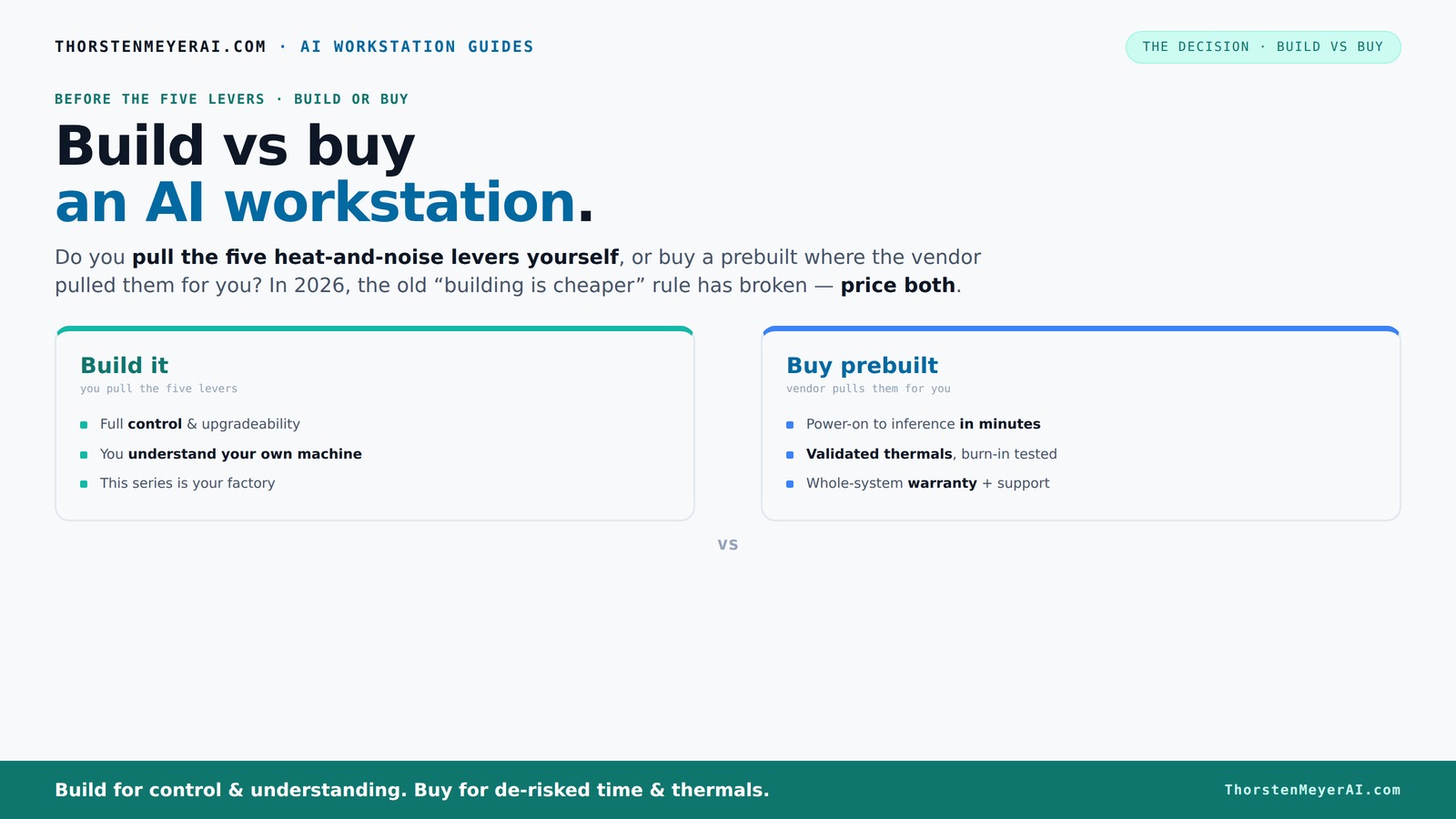
Build vs buy
an AI workstation.
The real question behind this whole series: do you pull the five heat-and-noise levers yourself, or buy a prebuilt where the vendor pulled them for you? And in 2026, the old “building is cheaper” rule has broken. Match your situation in Part 3.
Key Takeaways
- Component shortages in 2026 have reduced the price advantage of DIY builds, making prebuilts more competitive than before.
- Prebuilt systems come with validated thermals, tested performance, and warranty support, reducing setup risk.
- Building offers maximum control, customization, and future upgrade potential but demands time and technical skill.
- The decision depends on your priorities: speed and support versus control and upgradeability.
- Always price both options for your specific configuration—don’t assume one is cheaper without checking today’s market.
high performance AI workstation prebuilt
As an affiliate, we earn on qualifying purchases.
As an affiliate, we earn on qualifying purchases.
Why 2026 Changes Everything About Building vs Buying
If you’ve been in the PC game for a while, you remember when building your own rig was always cheaper. Not anymore. Recent shortages of GPUs, DDR5 RAM, and SSDs have driven prices sky-high. For example, a high-end GPU that used to cost $800 now often runs over $1,200, and that’s before you add a decent CPU, RAM, and cooling.
Meanwhile, big vendors like Dell or Lambda bought components in bulk before the shortages hit. They can offer prebuilt systems at prices that are tough for DIY builders to match today. This shift means that the traditional savings from building are diminishing, especially when factoring in the time and expertise needed. It also implies that for many, the value of support and reliability now outweighs the marginal cost savings. The implication? A DIY build might no longer be the obvious choice for everyone, particularly if the goal is rapid deployment or guaranteed performance.
This shift makes the decision about whether to build or buy more complex. It’s no longer just about saving money; it’s about choosing the right balance of control, reliability, and speed to deployment. The tradeoff becomes clearer: DIY may offer customization, but prebuilt options can deliver consistent performance with less hassle, especially in a market where component prices fluctuate wildly.
The Five Levers: Who Pulls Them—You or the Vendor?
Building your own AI workstation is like pulling five levers—cooling, airflow, undervolting, component choice, and placement. For more insights, check out our article on build vs buy a prebuilt AI workstation. You control every aspect, from the quiet GPU to the optimized case airflow. This level of control allows you to tailor the system precisely to your workload, balancing thermals and noise for optimal performance. For instance, a hobbyist might choose a custom water-cooling loop to push the GPU harder while maintaining silence, which can significantly improve sustained performance and lifespan. The tradeoff is that this requires time, technical skill, and ongoing maintenance.
Buy a prebuilt, and the vendor pulls these levers for you. If you want to understand the advantages of prebuilt systems, visit build vs buy a prebuilt AI workstation. Companies like Puget or BIZON run extensive testing—24 to 48 hours of stress tests, optimize fan curves, and sometimes include water-cooling for quieter operation. They validate that the system won’t throttle or overheat, and you get a warranty to back it up. This process ensures that the system is balanced for performance and longevity out of the box, minimizing your risk of hardware failure or thermal throttling, which can severely impact AI workloads.
For example, a prebuilt with a custom water-cooling loop can be 30% quieter and run cooler than a DIY setup—without you lifting a finger. This matters because thermal management directly impacts the hardware’s longevity and consistent performance, especially under prolonged AI training sessions where heat and noise can become significant bottlenecks. The implication? Prebuilts often deliver a more reliable thermal and acoustic profile, which can be critical for professional or high-stakes environments.
When Buying a Prebuilt Makes Sense — Fast, Worry-Free, and Supportive
If your time is precious and you want a ready-to-run AI machine, buying a prebuilt is a strategic choice. Systems arrive with the OS, drivers, and AI frameworks like CUDA or TensorFlow already installed, which means you can start training models immediately. This reduces setup time from days or weeks to mere hours, allowing you to focus on your actual work rather than troubleshooting hardware or software issues. For tips on efficient setup, see fudgemylife.org.
Plus, a reputable vendor backs your system with a warranty—often 3 to 5 years—and handles the testing. When a hardware issue pops up, you call support, and they fix it. This reduces the hassle of troubleshooting, which can be time-consuming and frustrating, especially if you lack deep hardware expertise. The support infrastructure also ensures that if a component fails, you’re not left scrambling to replace parts or diagnose issues yourself, which can be particularly problematic when deadlines are tight or data is critical.
For example, if you’re a data scientist needing immediate access to a multi-GPU system for urgent project deadlines, prebuilts like those from Lambda or Puget can save you days or weeks of setup time. This rapid deployment capability is invaluable in fast-paced research or production environments where delays can cost significant time and money. The implication? Prebuilts are not just about convenience—they can be essential for maintaining productivity and meeting tight schedules, especially when hardware reliability and support are non-negotiable.
Why Building Your Own System Still Has Upsides
Building your own AI workstation isn’t just about saving a few dollars; it’s about crafting a system tailored precisely to your needs. If you’re interested in the decision-making process, read more at build vs buy a prebuilt AI workstation. You choose the exact GPU, CPU, RAM speed, and cooling solution, which can lead to better performance and efficiency for your specific workloads. For example, an enthusiast might select a high-VRAM RTX 4090 with custom water-cooling to maximize performance for large model training, knowing they can upgrade individual components later as new hardware becomes available. This level of customization allows for optimization that can outperform generic prebuilt configurations, especially when you have specific performance targets or noise constraints.
Plus, DIY gives you upgrade flexibility. Over 2–3 years, you can swap out GPUs, add RAM, or upgrade storage without being locked into a proprietary design. This future-proofing can save money in the long run and keep your system aligned with evolving AI demands. The tradeoff is that this approach requires technical skill, time, and ongoing maintenance, but for those who enjoy the process, it offers unmatched control and satisfaction.
For example, a hobbyist might build a rig with a quiet, high-VRAM RTX 4090, tuned specifically for their workload, knowing they can upgrade the GPU later as new models come out. This approach fosters a deeper understanding of hardware and ensures that you can adapt your system as your needs evolve or as new components become available, providing a strategic advantage in long-term projects or research endeavors.
Cost Comparison: Build or Buy in 2026?
| Factor | Build Your Own AI Workstation | Buy a Prebuilt AI Workstation |
|---|---|---|
| Upfront effort | High — sourcing parts, assembly, BIOS setup | Low — just unbox and setup |
| Time to operational | Several days to weeks | Same day or next day |
| Cost | Often comparable or slightly cheaper (but rising prices) | Competitive, sometimes better due to bulk discounts |
| Warranty/support | Split across parts, DIY troubleshooting | Single vendor, comprehensive support |
| Upgradeability | Usually straightforward | Limited by OEM design |
In 2026, the landscape has shifted. While building can still be cost-effective if you are highly skilled at sourcing parts and assembling efficiently, the gap in pricing has narrowed considerably. The added time and effort often outweigh marginal savings for most users, especially when considering the risks of compatibility issues or delays. Conversely, prebuilts now offer competitive pricing, especially from vendors leveraging bulk purchasing and economies of scale, and they provide immediate readiness with support. The implication? Your decision should weigh not just the sticker price but also the total cost of ownership, including time, effort, and risk management.
Frequently Asked Questions
Is a prebuilt AI workstation more expensive than building one myself?
Not necessarily. Due to recent component shortages and bulk discounts, prebuilts often match or even beat DIY prices for similar specs in 2026. Always compare specific configurations before deciding.
Do prebuilts use weaker parts to save money?
Most reputable vendors use high-quality, enterprise-grade components. Some may include proprietary or OEM parts, but they are generally well-tested for performance and reliability.
Will I get better AI performance from a custom build or a prebuilt?
Performance depends on component choices and tuning. A well-built custom rig tailored to your workload can outperform a prebuilt with generic parts, but prebuilts often include factory tuning for thermals and noise, which can actually boost real-world performance.
How important are the GPU, NPU, RAM, and cooling for AI workloads?
The GPU is king for most AI tasks, especially training and inference. NPUs are gaining traction for specific workloads. Adequate RAM (at least 64GB for large models) and good cooling are vital for sustained performance and hardware longevity. Proper thermal management prevents throttling and extends hardware lifespan, which is crucial for consistent AI training sessions that can last hours or days. Neglecting these factors can lead to overheating, reduced performance, and hardware failure, ultimately increasing downtime and costs.
Can I upgrade a prebuilt later, or will proprietary parts limit me?
It varies. Some prebuilts use proprietary layouts or parts, making upgrades difficult or impossible without replacing entire components. Others are more modular, allowing for RAM, storage, or even GPU upgrades. Always check vendor specifications and upgrade policies before purchasing if future expandability is a priority. Understanding these limitations helps you plan for long-term flexibility and avoid costly replacements or voided warranties.
Conclusion
In 2026, choosing between building and buying your AI workstation hinges on what you value most—speed, support, or control. If you need a system fast with minimal fuss, a prebuilt offers peace of mind and immediate productivity. But if you crave customization and future-proofing, building remains a rewarding challenge, especially as component options expand and prices fluctuate.
Remember, the right choice aligns with your goals, budget, and expertise. Your perfect AI rig isn't just about raw specs; it’s about how well it fits your workflow and future plans. Now, go pick your path—your AI adventure awaits.