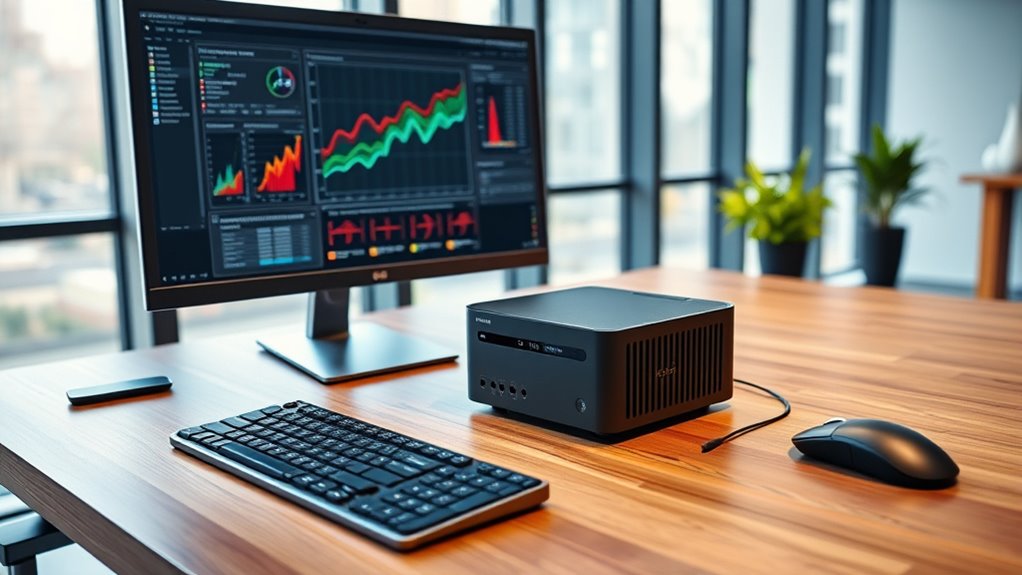

When searching for mini PCs for workstation performance, the key challenge lies in balancing powerful specs with compact size. The MINISFORUM UM890 Pro stands out as the best overall for its high-end Ryzen 9 processor and expansive memory options. The MINISFORUM MS-01 offers a solid alternative for those prioritizing raw CPU power, while the GEEKOM IT13 MAX provides upgradeability at a competitive price. Buyers must weigh factors like performance, expandability, and size constraints, often facing tough tradeoffs between power and portability. Keep reading for a detailed breakdown of these mini workstations, their strengths, and their limitations.

Get emergency and outdoor gear delivered free with Prime
- Fast, free delivery on millions of items
- Prime Video, Amazon Music and more included
- Member-only deals all year
Complete the kit



Key Takeaways
- The best mini PCs for workstation use combine high-end processors with ample RAM, often favoring AMD Ryzen or Intel Core i9 options.
- Size and expandability vary greatly; more powerful models tend to be larger or less upgrade-friendly, so consider future needs upfront.
- Price differences often reflect build quality, processor capability, and features like multiple display outputs or high-speed I/O options.
- Entry-level options can meet basic workstation tasks but may fall short on intensive 3D rendering or large data processing.
- Connectivity features such as PCIe 5.0, Wi-Fi 7, and 10G Ethernet are increasingly common in premium models, supporting future-proof workflows.
| MINISFORUM UM890 Pro Mini PC with AMD Ryzen 9 8945HS, 32GB DDR5 RAM, 512GB PCIe 4.0 SSD, Quad Display HDMI/DP |  | Best Overall for High-Performance Workstation Tasks | Processor: AMD Ryzen 9 8945HS, 8 cores, up to 5.2GHz | Graphics: AMD Radeon 780M, up to 2,800 MHz | Memory: 32GB DDR5 RAM, expandable to 96GB | VIEW ON AMAZON | See Our Full Breakdown |
| MINISFORUM MS-01 Mini Workstation, Intel Core i9-13900H, 32GB DDR5, 1TB SSD |  | Best for Enterprise-Grade Networking and Flexibility | Processor: Intel Core i9-13900H, 14C/20T, up to 5.4GHz | Graphics: Intel Iris Xe | Memory: 32GB DDR5 | VIEW ON AMAZON | See Our Full Breakdown |
| MINISFORUM MS-02 Ultra Mini Workstation PC |  | Best for AI and Content Creation with Extreme Expandability | Processor: Intel Core Ultra 9 285HX, 24C/24T, up to 5.5GHz, 13 TOPS NPU | Memory: Up to 256GB DDR5 ECC | Storage: 4x PCIe 4.0 M.2, up to 24TB | VIEW ON AMAZON | See Our Full Breakdown |
| MINISFORUM MS-S1 MAX Mini AI Workstation PC with AMD Ryzen AI Max+ 395 |  | Best for AI and Multimedia Intensive Workloads | Processor: AMD Ryzen AI Max+ 395, 16C/32T, up to 5.1GHz | GPU: RDNA 3.5 | Memory: Up to 128GB LPDDR5x | VIEW ON AMAZON | See Our Full Breakdown |
| MINISFORUM MS-A2 Mini Workstation AMD Ryzen 9 9955HX, 64GB RAM, 1TB SSD, Triple Display, 10G SFP+ |  | Best for High-Performance Workstations with Multi-Monitor and Networking | Processor: AMD Ryzen 9 9955HX, 16C/32T, up to 5.4GHz | Graphics: AMD Radeon 610M | Memory: 64GB DDR5 | VIEW ON AMAZON | See Our Full Breakdown |
| GEEKOM Mini PC IT13 MAX, Ultra 9 185H, 24GB RAM, 500GB SSD (Upgradeable) |  | Best for Creative Workflows and AI Integration | Processor: Intel Core Ultra 9 185H | RAM: 24GB LPDDR5 5600MT/s | Storage: 500GB PCIe 4.0 SSD, expandable up to 4TB | VIEW ON AMAZON | See Our Full Breakdown |
| MINISFORUM MS-01 Workstation Core i9-13900H Mini PC 32GB RAM 1TB SSD Micro Computer |  | Best for High-End Professional Workstations | Processor: Intel Core i9-13900H | RAM: 32GB | Storage: 1TB SSD | VIEW ON AMAZON | See Our Full Breakdown |
| BOSGAME P3 Lite Mini PC, AMD Ryzen 7 6800H, 32GB DDR5 RAM, 1TB NVMe SSD |  | Best for Versatile Multi-Display and Content Creation | Processor: AMD Ryzen 7 6800H | Graphics: Radeon 680M | RAM: 32GB DDR5 | VIEW ON AMAZON | See Our Full Breakdown |
| GMKtec K10 Mini PC Workstation with Intel Core i9-13900HK, 32GB DDR5 RAM and 1TB SSD |  | Best for Multi-Display and Heavy-Duty Workstations | Processor: Intel Core i9-13900HK | RAM: 32GB DDR5 | Storage: 1TB SSD | VIEW ON AMAZON | See Our Full Breakdown |
| GEEKOM A6 Mini PC with Ryzen 7 6800H, 32GB DDR5 RAM, 1TB PCIe 4.0 SSD |  | Best for Demanding Multitasking and Professional Use | Processor: Ryzen 7 6800H | RAM: 32GB DDR5 | Storage: 1TB PCIe 4.0 SSD | VIEW ON AMAZON | See Our Full Breakdown |
| Glorlin Mini PC Ryzen 7 6800H, 16GB LPDDR5, 512GB NVMe SSD, Radeon 680M, Triple 4K Display, Dual LAN, WiFi 6, BT5.3, Compact Desktop for Office & Gaming |  | Best Overall for Versatile Performance | Processor: AMD Ryzen 7 6800H (8 cores, 16 threads, up to 4.7GHz) | RAM: 16GB LPDDR5 (6400MT/s) | Storage: 512GB NVMe SSD | VIEW ON AMAZON | See Our Full Breakdown |
| MINISFORUM MS-02 Ultra Workstation Mini PC, Intel Core Ultra 9 285HX, 32GB RAM, 1TB SSD, PCIe 5.0 x16, Wi-Fi 7 |  | Best for High-End Workstation and AI Workloads | Processor: Intel Core Ultra 9 285HX (24C/24T, up to 5.5GHz, 13 TOPS NPU) | RAM: 32GB DDR5 (up to 256GB, ECC support) | Storage: 1TB SSD (4x M.2 PCIe 4.0, up to 24TB total, RAID support) | VIEW ON AMAZON | See Our Full Breakdown |
| BOSGAME P4 Ultra Mini PC Ryzen 7 7730U, 16GB DDR4, 1TB PCIe SSD |  | Best for Budget-Conscious Creatives and General Users | Processor: AMD Ryzen 7 7730U (8C/16T, up to 4.5GHz) | RAM: 16GB DDR4 | Storage: 1TB PCIe SSD | VIEW ON AMAZON | See Our Full Breakdown |
| mini pcs for workstation performance | Processor | Storage | RAM |
|---|---|---|---|
| MINISFORUM UM890 Pro Mini PC w | AMD Ryzen 9 8945HS, 8 cores, up to 5.2GHz | 512GB PCIe 4.0 SSD, expandable up to 8TB | — |
| MINISFORUM MS-01 Mini Workstat | Intel Core i9-13900H, 14C/20T, up to 5.4GHz | 1TB SSD, supports RAID | — |
| MINISFORUM MS-02 Ultra Mini Wo | Intel Core Ultra 9 285HX, 24C/24T, up to 5.5GHz, 13 TOPS NPU | 4x PCIe 4.0 M.2, up to 24TB | — |
| MINISFORUM MS-S1 MAX Mini AI W | AMD Ryzen AI Max+ 395, 16C/32T, up to 5.1GHz | 2TB SSD, dual M.2 PCIe 4.0 | — |
| MINISFORUM MS-A2 Mini Workstat | AMD Ryzen 9 9955HX, 16C/32T, up to 5.4GHz | 1TB SSD, dual M.2 PCIe 4.0 | — |
| GEEKOM Mini PC IT13 MAX | Intel Core Ultra 9 185H | 500GB PCIe 4.0 SSD, expandable up to 4TB | 24GB LPDDR5 5600MT/s |
| MINISFORUM MS-01 Workstation C | Intel Core i9-13900H | 1TB SSD | 32GB |
| BOSGAME P3 Lite Mini PC | AMD Ryzen 7 6800H | 1TB NVMe PCIe 4.0 SSD | 32GB DDR5 |
| GMKtec K10 Mini PC Workstation | Intel Core i9-13900HK | 1TB SSD | 32GB DDR5 |
| GEEKOM A6 Mini PC with Ryzen 7 | Ryzen 7 6800H | 1TB PCIe 4.0 SSD | 32GB DDR5 |
| Glorlin Mini PC Ryzen 7 6800H | AMD Ryzen 7 6800H (8 cores, 16 threads, up to 4.7GHz) | 512GB NVMe SSD | 16GB LPDDR5 (6400MT/s) |
| MINISFORUM MS-02 Ultra Worksta | Intel Core Ultra 9 285HX (24C/24T, up to 5.5GHz, 13 TOPS NPU) | 1TB SSD (4x M.2 PCIe 4.0, up to 24TB total, RAID support) | 32GB DDR5 (up to 256GB, ECC support) |
| BOSGAME P4 Ultra Mini PC Ryzen | AMD Ryzen 7 7730U (8C/16T, up to 4.5GHz) | 1TB PCIe SSD | 16GB DDR4 |
More Details on Our Top Picks
MINISFORUM UM890 Pro Mini PC with AMD Ryzen 9 8945HS, 32GB DDR5 RAM, 512GB PCIe 4.0 SSD, Quad Display HDMI/DP
The MINISFORUM UM890 Pro stands out for its exceptional processing power, thanks to the AMD Ryzen 9 8945HS, which rivals high-end desktops in a compact form. Compared to the MINISFORUM MS-01, it offers more advanced cooling and higher resolution support, making it ideal for demanding multitasking, content creation, and professional workflows. However, the absence of pre-installed software and the complexity of upgrades may challenge less experienced users. This mini PC excels for users who need a powerful, multi-display setup with high-res output and quiet operation, but those seeking a more plug-and-play experience might find it less accessible. Pros: High-end AMD Ryzen 9 8945HS processor; Supports up to 8K resolution on four screens; Extensive connectivity including dual Ethernet; Efficient cooling system ensures quiet, stable operation.
Cons: No pre-installed OS; Upgrade process can be complex for novices; OcuLink port needs M.2 slot.Pros:- Powerful AMD Ryzen 9 8945HS processor with high clock speeds
- Supports up to 8K resolution across four displays
- Multiple USB ports, dual Ethernet, and extensive connectivity
Cons:- No pre-installed operating system included
- Upgrade process may be challenging for non-technical users
- OcuLink port requires an M.2 slot, not built-in
Best for: Power users who require high-end multitasking, creative work, or multi-monitor setups without sacrificing space.
Not ideal for: Casual home users or those new to upgrading mini PCs, due to complex upgrade procedures and lack of pre-installed software.
- Processor:AMD Ryzen 9 8945HS, 8 cores, up to 5.2GHz
- Graphics:AMD Radeon 780M, up to 2,800 MHz
- Memory:32GB DDR5 RAM, expandable to 96GB
- Storage:512GB PCIe 4.0 SSD, expandable up to 8TB
- Display Outputs:HDMI 2.1, DP 1.4, 2 x USB4
- Maximum Resolution:8K at 60Hz / 4K at 144Hz
- Connectivity:Wi-Fi 6E, Bluetooth 5.2, Dual 2.5G Ethernet
Our verdict“This mini PC is best suited for professionals and power users who need maximum performance in a small footprint.”
MINISFORUM MS-01 Mini Workstation, Intel Core i9-13900H, 32GB DDR5, 1TB SSD
The MINISFORUM MS-01 offers a compelling combination of high-end CPU power and extensive connectivity, especially with dual 10Gbps SFP+ ports and a PCIe 4.0 x16 slot. Compared with the MINISFORUM UM890 Pro, it provides a more networking-centric design, ideal for business environments, remote work, or advanced workflows requiring fast data transfer and hardware flexibility. Its compact size, however, limits GPU size and thermal headroom, making it less suitable for GPU-intensive tasks. This mini PC is best for IT professionals, network administrators, or those running intensive data tasks, but it may be overkill for casual users. Pros: Enterprise-grade dual 10GbE ports; PCIe 4.0 x16 expansion for GPUs and cards; Supports RAID configurations with up to 3 M.2 drives; Flexible, high-speed networking and storage options.
Cons: Compact chassis limits GPU size and thermal capacity; Overly feature-rich for everyday home use; May require technical knowledge for setup and upgrades.Pros:- High-performance Intel Core i9-13900H with vPro support
- Dual 10Gbps SFP+ ports and 2.5G Ethernet for fast networking
- Full PCIe 4.0 x16 slot for expansion cards
Cons:- Limited space for large GPUs due to chassis size
- Complex hardware setup may challenge less technical users
- Overkill for basic home or office tasks
Best for: IT professionals and advanced users needing fast networking and flexible hardware configurations.
Not ideal for: Casual users or those seeking simple, plug-and-play mini PCs for basic tasks, due to its complexity and over-spec hardware.
- Processor:Intel Core i9-13900H, 14C/20T, up to 5.4GHz
- Graphics:Intel Iris Xe
- Memory:32GB DDR5
- Storage:1TB SSD, supports RAID
- Expansion:PCIe 4.0 x16 slot
- Network:Dual 10Gbps SFP+ and 2.5G Ethernet
Our verdict“Ideal for enterprise, networking, and high-throughput workloads in a compact form factor.”
MINISFORUM MS-02 Ultra Mini Workstation PC
The MINISFORUM MS-02 is tailored for AI, engineering, and highly demanding workloads, thanks to its Intel Core Ultra 9 285HX with 24 cores and a built-in NPU. Compared to the UM890 Pro, it offers superior expandability with PCIe 5.0 x16 support and four DDR5 SODIMM slots, accommodating up to 256GB ECC memory. Its dual 25GbE ports and Wi-Fi 7 make it a network powerhouse, but its untested memory compatibility and complex setup mean it’s best for tech-savvy users. The thermal design, rated for 350W, promises stability under heavy loads, making it ideal for AI clusters or content-heavy workflows. However, the high complexity and cost might deter casual users. Pros: Cutting-edge CPU with 24 cores and integrated NPU; Supports PCIe 5.0 and up to 256GB ECC RAM; Advanced cooling and multiple high-speed network ports; Supports large-scale AI and data processing.
Cons: Memory installation can be tricky and requires careful compatibility checks; Likely overkill for everyday tasks; Barebone system may need extra components for ready use.Pros:- Powerful Intel Core Ultra 9 285HX with 24 cores
- PCIe 5.0 x16 support for GPUs and high-speed cards
- Dual 25GbE ports and Wi-Fi 7 for ultra-fast networking
Cons:- Memory installation can be difficult and compatibility-sensitive
- Requires technical expertise to assemble and upgrade
- Potentially costly and over-specified for basic use
Best for: AI researchers, engineering professionals, and advanced content creators needing maximum expandability.
Not ideal for: Casual users or those unfamiliar with high-performance hardware upgrades, due to complexity and cost.
- Processor:Intel Core Ultra 9 285HX, 24C/24T, up to 5.5GHz, 13 TOPS NPU
- Memory:Up to 256GB DDR5 ECC
- Storage:4x PCIe 4.0 M.2, up to 24TB
- Expansion:Up to 3 PCIe slots, including PCIe 5.0 x16
- Networking:Dual 25GbE, Wi-Fi 7
- Cooling:Six heat pipes, 350W PSU
Our verdict“This mini workstation is best suited for AI, engineering, and content workflows demanding maximum expandability.”
MINISFORUM MS-S1 MAX Mini AI Workstation PC with AMD Ryzen AI Max+ 395
The MINISFORUM MS-S1 MAX is targeted at AI developers and multimedia professionals, featuring AMD Ryzen AI Max+ 395 with integrated RDNA 3.5 GPU for accelerated AI and video tasks. Compared to the UM890 Pro, it emphasizes AI performance with 128GB LPDDR5x RAM and a modular design supporting clustering. Its cooling system with six heat pipes and dual turbines ensures stability during intense processing, but its larger size and the need for additional components like RAM and GPU make it less straightforward for casual users. This mini PC excels in AI, deep learning, and high-bandwidth multimedia workflows but may be overkill for standard office tasks. Pros: Exceptional AI performance with integrated RDNA 3.5 GPU; Massive RAM capacity up to 128GB LPDDR5x; Supports clustering and large-scale AI workloads; Robust cooling system for sustained heavy loads.
Cons: Requires additional components for full setup; Not ideal for basic or casual use; Size and complexity may challenge less technical users.Pros:- AMD Ryzen AI Max+ 395 with RDNA 3.5 GPU
- 128GB LPDDR5x RAM for intensive AI workloads
- Supports clustering and large data processing
Cons:- Additional components needed for a complete system
- Complex setup not suitable for novices
- Larger size and higher cost than typical mini PCs
Best for: AI researchers, deep learning developers, and multimedia professionals with high-performance needs.
Not ideal for: Basic office users or those seeking simple mini PCs for everyday tasks, due to its complexity and specialized focus.
- Processor:AMD Ryzen AI Max+ 395, 16C/32T, up to 5.1GHz
- GPU:RDNA 3.5
- Memory:Up to 128GB LPDDR5x
- Storage:2TB SSD, dual M.2 PCIe 4.0
- Expansion:PCIe x16, dual M.2
- Networking:Dual 10GbE LAN, Wi-Fi 7
Our verdict“Best for AI and multimedia professionals who require maximum expandability and AI acceleration in a compact system.”
MINISFORUM MS-A2 Mini Workstation AMD Ryzen 9 9955HX, 64GB RAM, 1TB SSD, Triple Display, 10G SFP+
The MINISFORUM MS-A2 combines robust processing power with advanced connectivity, making it a versatile choice for professional multitasking, creative workflows, and large monitor arrays. Its AMD Ryzen 9 9955HX provides excellent performance, while the triple video outputs support expansive multi-monitor setups. The inclusion of dual 10GbE SFP+ ports and 2.5G Ethernet ensures fast, reliable networking for data transfer or collaborative work. Compared to the UM890 Pro, it emphasizes more on high-speed networking and multi-display capabilities, though its dual-fan cooling can produce noticeable noise under load. It’s ideal for professionals needing extensive display and network options, but those with simpler needs might find it overpowered. Pros: Powerful Ryzen 9 9955HX CPU; Supports triple 8K display outputs; 10GbE SFP+ ports for ultra-fast networking; Expandable storage with dual M.2 slots.
Cons: Dual-fan cooling can be noisy; Setup and upgrades may require technical knowledge; Overkill for basic office work.Pros:- High-performance AMD Ryzen 9 9955HX processor
- Triple 8K display support for extensive multitasking
- Dual 10GbE SFP+ ports and 2.5G Ethernet for fast networking
Cons:- Cooling system can generate noise during heavy loads
- Requires technical knowledge for upgrades
- May be more machine than needed for simple tasks
Best for: Creative professionals, multitaskers, and enterprise users with high display and network demands.
Not ideal for: Casual users or those needing a simple, quiet mini PC for basic tasks, due to noise and overcapacity.
- Processor:AMD Ryzen 9 9955HX, 16C/32T, up to 5.4GHz
- Graphics:AMD Radeon 610M
- Memory:64GB DDR5
- Storage:1TB SSD, dual M.2 PCIe 4.0
- Video Output:Triple 8K @ 60Hz
- Network:2x 10G SFP+ and 2.5G RJ45
Our verdict“This mini workstation offers advanced multi-monitor and networking capabilities for demanding professional environments.”
GEEKOM Mini PC IT13 MAX, Ultra 9 185H, 24GB RAM, 500GB SSD (Upgradeable)
The GEEKOM IT13 MAX stands out for its combination of a powerful Intel Core Ultra 9 185H processor and high-speed LPDDR5 RAM, making it highly suitable for AI applications and creative multitasking. Unlike smaller, less connected mini PCs, it offers extensive connectivity options, including dual 2.5GbE LAN and quad-display support, which are critical for multi-monitor workflows. Its advanced cooling system and reliable 3-year support make it a solid choice for demanding professional environments. However, the limited storage out of the box means buyers will need to invest in upgrades, and its premium features come with a higher price tag. The small form factor could also limit future upgrade options compared to larger desktops, but overall, it’s tailored for users who prioritize performance and expandability in a compact design.
Pros:- High-performance Intel Core Ultra 9 processor and 24GB LPDDR5 RAM
- Extensive connectivity including dual 2.5GbE LAN and quad-display support
- Easy access to internal components for upgrades and maintenance
- Reliable 3-year US-based support and advanced cooling system
Cons:- Limited storage initially, requiring upgrades for data-heavy use
- Premium price reflecting high-end features and support
- Small form factor may restrict some future upgrades
Best for: Creative professionals, AI developers, and users needing reliable multitasking with extensive connectivity
Not ideal for: Budget-conscious users or those seeking simple office setups without demanding workloads
- Processor:Intel Core Ultra 9 185H
- RAM:24GB LPDDR5 5600MT/s
- Storage:500GB PCIe 4.0 SSD, expandable up to 4TB
- Networking:Dual 2.5GbE LAN
- Graphics:Intel Arc Graphics
- Cooling System:IceBlast 3.0 with dual copper heat pipes
- Support:3-year US-based repair support
- Display Support:Quad-display
Our verdict“This mini PC is best suited for professionals who need powerful multitasking, AI workloads, and multiple displays in a compact form.”
MINISFORUM MS-01 Workstation Core i9-13900H Mini PC 32GB RAM 1TB SSD Micro Computer
The MINISFORUM MS-01 makes a compelling case for high-end professional tasks with its powerful Core i9-13900H processor and 32GB of RAM. It surpasses the GEEKOM IT13 MAX in raw CPU performance and expandability, thanks to multiple SSD slots and a PCIe x16 slot for discrete graphics cards. Its dual 10G SFP+ ports and multi-monitor support make it ideal for data-intensive tasks like 3D rendering or server roles. However, its setup can be complex for beginners, and the higher cost may be prohibitive for casual users. Its weight of 2.25 kg and bulkier dimensions also reduce portability. Compared with other mini workstations, it prioritizes raw performance and expandability, but at the expense of simplicity and ease of use for less experienced buyers.
Pros:- High-performance Intel Core i9-13900H CPU and 32GB DDR5 RAM
- Multiple SSD slots plus PCIe x16 for discrete GPU or additional expansion
- Dual 10G SFP+ ports for fast network connectivity
- Supports multi-monitor setups with HDMI and USB4
Cons:- Complex setup and configuration can challenge beginners
- Relatively high price point for entry-level buyers
- Heavier and bulkier than more streamlined mini PCs
Best for: Advanced users requiring high CPU performance, multiple high-speed network connections, and expandability for professional workloads
Not ideal for: Casual users or those with limited technical experience seeking plug-and-play mini PCs
- Processor:Intel Core i9-13900H
- RAM:32GB
- Storage:1TB SSD
- Network Ports:2x 10G SFP+, 2x 2.5G RJ45
- Video Outputs:HDMI, 2x USB4
- Expandable Slots:2x DDR5, 3x SSD (M.2 PCIe4.0, U.2), PCIe x16
Our verdict“Ideal for power users needing maximum CPU and network performance with extensive expandability in a mini form factor.”
BOSGAME P3 Lite Mini PC, AMD Ryzen 7 6800H, 32GB DDR5 RAM, 1TB NVMe SSD
The BOSGAME P3 Lite offers a balanced mix of performance and display flexibility, powered by an AMD Ryzen 7 6800H and 32GB DDR5 RAM. Its support for triple 4K displays or an 8K single display via USB 4.0, HDMI, and DisplayPort makes it excellent for content creators and multi-taskers. Compared with the Intel-based MINISFORUM MS-01, this model provides comparable CPU performance but with the added benefit of integrated Radeon graphics suited for casual gaming and multimedia. Its Wi-Fi 6E and dual 2.5G Ethernet enhance connectivity options for demanding workflows. The main tradeoff is that the Radeon 680M graphics aren’t designed for heavy gaming or GPU-intensive tasks, and at a higher price point, it may be less appealing for budget buyers.
Pros:- Powerful Ryzen 7 6800H processor and 32GB DDR5 RAM
- Supports triple 4K or single 8K display outputs
- Excellent expandability with dual M.2 slots and up to 8TB storage
- Fast connectivity including Wi-Fi 6E and dual 2.5G Ethernet
Cons:- Radeon 680M graphics limited to casual gaming and multimedia
- Higher price compared to entry-level mini PCs
- Potential availability issues due to industry shortages
Best for: Content creators, professionals needing multi-display setups, and users prioritizing versatile connectivity
Not ideal for: Gamer or GPU-hungry users needing dedicated high-end graphics performance
- Processor:AMD Ryzen 7 6800H
- Graphics:Radeon 680M
- RAM:32GB DDR5
- Storage:1TB NVMe PCIe 4.0 SSD
- Display Support:Triple 4K@60Hz or 8K
- Networking:Wi-Fi 6E, Dual 2.5G Ethernet
Our verdict“This mini PC is perfect for professionals who need multiple high-resolution displays and flexible connectivity without demanding GPU gaming performance.”
GMKtec K10 Mini PC Workstation with Intel Core i9-13900HK, 32GB DDR5 RAM and 1TB SSD
The GMKtec K10 excels in supporting up to four displays with up to 8K resolution, making it an excellent choice for advanced multi-monitor setups. Its Intel Core i9-13900HK and 32GB DDR5 RAM deliver exceptional processing power for demanding content creation, 3D modeling, and professional multitasking. The inclusion of three M.2 slots for SSD expansion and a 2.5GbE Ethernet port provides ample storage and network flexibility, surpassing the limited expandability of the GEEKOM model. However, its USB-C port lacks Power Delivery, and the overall weight and size at 2.25 kg may reduce portability. It’s less suitable for users seeking an ultra-compact or budget-friendly option but shines for those with heavy multi-display needs and high-performance demands.
Pros:- High-end Intel Core i9-13900HK and 32GB DDR5 RAM
- Supports four displays, including 8K output
- Multiple M.2 slots for substantial storage expansion
- Robust connectivity with 2.5GbE and extensive USB ports
Cons:- USB-C port does not support Power Delivery
- Heavier and less portable for mobile use
- Higher price point than less capable models
Best for: Power users running multi-monitor professional setups, CAD, or video editing workflows
Not ideal for: Casual office users or buyers seeking ultra-portable mini PCs
- Processor:Intel Core i9-13900HK
- RAM:32GB DDR5
- Storage:1TB SSD
- Display Output:Up to four screens, 8K via DisplayPort
- Connectivity:2.5GbE, Wi-Fi 6, Bluetooth 5.2
- Expandable Slots:3x M.2 PCIe
Our verdict“This workstation mini PC is best suited for professionals requiring high multi-display capacity and top-tier processing power in a compact package.”
GEEKOM A6 Mini PC with Ryzen 7 6800H, 32GB DDR5 RAM, 1TB PCIe 4.0 SSD
The GEEKOM A6 combines a Ryzen 7 6800H with 32GB DDR5 RAM and a fast 1TB PCIe 4.0 SSD, making it suitable for intensive multitasking, video editing, and AI workloads. Its sleek aluminum chassis and IceBlast 2.0 cooling system support demanding tasks while maintaining a quiet operation. Unlike smaller mini PCs, its robust thermal management helps sustain high performance during prolonged use. While detailed pricing info is scarce, the A6’s expandability and premium build position it as a versatile choice. Its industry supply issues might affect availability, but for those who can find it, it offers a compelling blend of power and style for professional environments.
Pros:- Powerful Ryzen 7 6800H processor and 32GB DDR5 RAM
- Robust cooling for sustained high performance
- Supports multiple displays, including 4K and 8K
- Premium aluminum chassis with sleek design
Cons:- Limited detailed pricing and availability information
- Potential supply shortages could delay purchase
- Higher price compared to less capable mini PCs
Best for: Content creators, AI developers, and professionals seeking high performance and expandability in a compact design
Not ideal for: Entry-level users or those on tight budgets who don’t require high-end specs
- Processor:Ryzen 7 6800H
- RAM:32GB DDR5
- Storage:1TB PCIe 4.0 SSD
- Cooling System:IceBlast 2.0 with dual-phase copper heat pipes
- Display Support:Multiple displays including 4K and 8K
- Connectivity:Wi-Fi 6E, dual 2.5G LAN
Our verdict“This mini PC is best for demanding professionals needing powerful multitasking, high-resolution display support, and expandable storage in a stylish form factor.”
Glorlin Mini PC Ryzen 7 6800H, 16GB LPDDR5, 512GB NVMe SSD, Radeon 680M, Triple 4K Display, Dual LAN, WiFi 6, BT5.3, Compact Desktop for Office & Gaming
The Glorlin Mini PC stands out for its robust AMD Ryzen 7 6800H processor, making it a strong choice for users who want reliable multitasking without overpaying for high-end gaming. Compared with the MINISFORUM BOSGAME P4, which offers a similar multi-display setup, the Glorlin’s integrated Radeon 680M GPU provides better multimedia performance, though it lacks dedicated GPU upgrade options. Its 16GB LPDDR5 RAM and fast NVMe SSD ensure swift responses for daily tasks and light gaming. The extensive connectivity, including dual LAN and WiFi 6, makes it ideal for multitasking environments. However, the compact design limits future upgrades, and the absence of a dedicated GPU restricts high-end gaming and intensive 3D work. This model suits those seeking a balanced, space-saving mini PC for productivity and multimedia, but not for demanding AAA gaming or heavy creative workloads.
Pros:- Powerful AMD Ryzen 7 6800H processor for smooth multitasking
- Supports three 4K displays for enhanced productivity
- Fast 16GB LPDDR5 RAM and 512GB NVMe SSD for quick responsiveness
- Extensive connectivity including Dual LAN and WiFi 6
Cons:- Limited upgrade options due to compact design
- Performance may be excessive for basic tasks
- No dedicated GPU for high-end gaming
Best for: Small office setups or multimedia enthusiasts who need multiple 4K outputs and fast connectivity in a compact form.
Not ideal for: Hardcore gamers or professionals needing dedicated high-end GPU performance or extensive upgrade options.
- Processor:AMD Ryzen 7 6800H (8 cores, 16 threads, up to 4.7GHz)
- RAM:16GB LPDDR5 (6400MT/s)
- Storage:512GB NVMe SSD
- Graphics:Radeon 680M
- Display Support:Triple 4K (HDMI, DisplayPort, Type-C)
- Connectivity:Dual LAN, WiFi 6, Bluetooth 5.3
Our verdict“A well-rounded mini PC ideal for productivity and multimedia, but not suited for gaming enthusiasts seeking dedicated GPU power.”
MINISFORUM MS-02 Ultra Workstation Mini PC, Intel Core Ultra 9 285HX, 32GB RAM, 1TB SSD, PCIe 5.0 x16, Wi-Fi 7
The MINISFORUM MS-02 Ultra excels in demanding professional environments, thanks to its Intel Core Ultra 9 285HX with 24 cores and a 13 TOPS NPU, making it ideal for AI inference, deep learning, and intensive creative tasks. Its PCIe 5.0 x16 slot allows desktop-class GPU upgrades, surpassing the limited upgrade potential of the Glorlin. With 32GB DDR5 RAM supporting ECC and four M.2 PCIe 4.0 slots, it offers incredible expandability—up to 24TB storage and multiple RAID configurations. Advanced networking, including dual 25GbE ports and Wi-Fi 7, provides enterprise-level connectivity. However, the CPU’s internal memory slots are hard to access and require careful installation, which can be a hassle. This pick is best for professionals who need maximum power, expandability, and future-proofing, whereas casual users may find it overkill and complex to set up.
Pros:- Powerful Intel Core Ultra 9 285HX with 13 TOPS NPU for AI workloads
- PCIe 5.0 x16 slot supports high-end GPU upgrades
- Extensive memory support up to 256GB ECC DDR5 RAM
- High-speed connectivity including dual 25GbE and Wi-Fi 7
Cons:- Internal memory slots are difficult to access, risking installation errors
- Requires careful compatibility checks for upgrades
- Potential complexity for non-technical users
Best for: AI developers, creative professionals, and small enterprise workstations requiring maximum expandability and raw processing power.
Not ideal for: Home users or those new to building mini PCs, due to complex installation and potential compatibility challenges.
- Processor:Intel Core Ultra 9 285HX (24C/24T, up to 5.5GHz, 13 TOPS NPU)
- RAM:32GB DDR5 (up to 256GB, ECC support)
- Storage:1TB SSD (4x M.2 PCIe 4.0, up to 24TB total, RAID support)
- Expansion:PCIe 5.0 x16 slot
- Ports:USB 4.0 v2, dual 25GbE, 10GbE, 2.5GbE
- Wireless:Wi-Fi 7
Our verdict“A top-tier mini workstation designed for demanding tasks, best suited for tech-savvy professionals who need maximum expandability.”
BOSGAME P4 Ultra Mini PC Ryzen 7 7730U, 16GB DDR4, 1TB PCIe SSD
The BOSGAME P4 Ultra provides solid performance with its Ryzen 7 7730U processor, making it suitable for demanding multitasking and creative workloads at a more accessible price point. Compared with the Glorlin, it offers a larger 1TB SSD, though it uses DDR4 RAM which is slower than LPDDR5. Its triple 4K display support and fast PCIe SSD ensure quick load times and vibrant multimedia output. The passive cooling system may lead to higher temperatures during prolonged intensive use, and its limited upgrade options—only one RAM slot and a single M.2 slot—restrict future expansion. While it lacks a dedicated GPU, for users prioritizing cost-effectiveness for productivity and moderate creative work, this model offers a good balance. It is less suitable for high-end gaming or heavy 3D rendering, given its integrated graphics and cooling limitations.
Pros:- Strong AMD Ryzen 7 7730U processor for multitasking
- Supports three 4K monitors for enhanced productivity
- Fast 1TB PCIe SSD for quick boot and load times
- Good connectivity with dual 2.5G Ethernet and Wi-Fi 6E
Cons:- Limited upgrade options due to single RAM and M.2 slot
- Passive cooling may cause higher temperatures under load
- Integrated graphics restrict high-end gaming and graphics-intensive tasks
Best for: Budget-conscious professionals, students, and home office users who need reliable multi-monitor setups without high-end GPU demands.
Not ideal for: Power users or gamers requiring dedicated graphics and extensive upgrade paths, as the cooling and upgrade options are limited.
- Processor:AMD Ryzen 7 7730U (8C/16T, up to 4.5GHz)
- RAM:16GB DDR4
- Storage:1TB PCIe SSD
- Display Outputs:3 x HDMI, DisplayPort, Type-C
- Connectivity:Dual 2.5G Ethernet, Wi-Fi 6E
- Cooling:Passive cooling system
Our verdict“A budget-friendly mini PC capable of handling professional multitasking and multimedia, but not suited for heavy gaming or extensive upgrades.”

How We Picked
This lineup was curated based on performance benchmarks, build quality, and usability for demanding workstation tasks. We prioritized processors with high core counts and fast memory support, ensuring these mini PCs can handle multitasking, rendering, and large datasets efficiently. Expandability and connectivity options were also key, as workstation users need to upgrade or connect multiple peripherals seamlessly. The ranking reflects a balance between raw power and practical features, helping buyers find options suited to different levels of professional use and budgets.Factors to Consider When Choosing Mini Pcs For Workstation Performance
Choosing a mini PC for workstation performance requires careful consideration of several factors beyond just raw specs. It’s important to evaluate how the device will fit into your workflow, future-proof your setup, and handle your specific applications. A well-chosen mini workstation can save space and power without sacrificing speed or expandability, but the wrong choice could lead to bottlenecks or obsolescence. Here are key factors to keep in mind:Processor Power and Core Count
The processor is the heart of any workstation. Look for models with high-core CPUs like AMD Ryzen 9 or Intel Core i9, which excel in multitasking and demanding applications. However, more cores often mean higher power consumption and potentially larger chassis sizes. Balance your workload with the processor’s capabilities—if you primarily use CAD or video editing, prioritize top-tier CPUs, but for lighter tasks, mid-range options may suffice.
Memory and Storage
Ample RAM is essential for multitasking and large datasets, with 32GB being a good starting point for most professional workloads. Consider models with DDR5 support for future-proofing, and check if the mini PC allows RAM upgrades. Storage speed and capacity matter too—NVMe SSDs offer rapid data access, reducing bottlenecks during intensive tasks. Think about your storage needs based on your typical file sizes and whether you need quick access to large media files or datasets.
Expandability and Connectivity
Since mini PCs often have limited internal space, their upgrade paths can be restricted. Look for models with PCIe 4.0 or 5.0 slots, multiple USB ports, and high-speed network options like Wi-Fi 6/7 or 10G Ethernet. These features enable future upgrades and seamless peripheral connections, which are vital for a workstation environment. Skipping these features may lead to needing a new device sooner, especially as your workflow evolves.
Size, Noise, and Power Efficiency
Compact size is a hallmark of mini PCs, but it can come with tradeoffs such as increased heat and noise. Choose models with efficient cooling solutions if you plan to run intensive workloads for extended periods. Power efficiency not only reduces running costs but also minimizes heat buildup, helping maintain performance stability. Balance size with thermal management to avoid throttling or overheating during demanding tasks.
Price and Value
High-performance mini PCs command premium prices, but investing in quality components pays off in reliability and longevity. Be wary of models that cut corners on key features like RAM speed or connectivity, as these can hinder workstation tasks. Evaluate your budget against your performance needs, and consider whether future expandability or specific features justify a higher initial investment.
Frequently Asked Questions
Can a mini PC handle professional 3D rendering or video editing?
Yes, some mini PCs are equipped with high-end processors like AMD Ryzen 9 or Intel Core i9, along with substantial RAM and fast SSDs, making them capable of demanding creative tasks. However, thermal management becomes critical, as compact designs may limit cooling efficiency. For intensive rendering or editing, choosing a mini PC with good airflow, upgradeable GPU options, and high core counts will provide better performance and longevity.
Is it worth paying more for a mini PC with PCIe 5.0 or Wi-Fi 7?
Upgrading to PCIe 5.0 and Wi-Fi 7 can future-proof your workstation, offering faster data transfer and network speeds. If your workflow involves large data transfers, high-speed storage, or cloud-based applications, these features make a meaningful difference. For typical productivity or moderate workloads, these may be less critical, so consider your specific needs and whether the added cost aligns with your long-term plans.
How important is upgradeability in a mini PC for workstation use?
Upgradeability is a key consideration, especially if your workload is expected to grow or change over time. Models with accessible RAM slots, PCIe expansion, and additional storage bays offer flexibility for future upgrades. However, many mini PCs limit these options to save space and cost, so weigh how long you intend to use the device before replacing it. An upgrade-friendly model can extend its useful life and save money in the long run.
Should I prioritize a larger mini PC or one with a smaller footprint?
This depends on your workspace constraints and cooling needs. Larger mini PCs often have better thermal management and more upgrade options, but they sacrifice space savings. Smaller models are more portable and space-efficient but may run hotter and have limited upgradeability. Assess your physical environment and performance expectations carefully to choose the right balance.
Are integrated graphics sufficient for workstation tasks?
Integrated graphics like Radeon 680M or Intel Iris Xe can handle basic workstation duties such as office work, light editing, and 3D visualization. However, for demanding tasks like CAD, 3D rendering, or video production, a dedicated GPU is often necessary. Some mini PCs allow for external GPU connections, which can be a good compromise if you need high graphics performance but want a compact system initially.
Conclusion
For users seeking the best overall workstation mini PC, the MINISFORUM UM890 Pro offers a balanced mix of power, expandability, and size. Those prioritizing value should consider the GEEKOM IT13 MAX, which delivers impressive specs at a competitive price point. Professionals needing premium features and future-proofing will find the MINISFORUM MS-02 Ultra or GMKtec K10 compelling choices, thanks to their advanced connectivity and upgrade options. Beginners or those with lighter workloads might opt for more compact or budget-friendly options like the BOSGAME P4 Ultra. Your ideal choice hinges on your workload demands, budget, and whether you prioritize upgradeability or portability.
As an affiliate, we earn on qualifying purchases.Halloween Picks
halloween